Slack doesn't have a built-in way to schedule status updates. If you've ever forgotten to set your status to "In a meeting," left "On vacation" showing for days after returning, or wished your status would automatically update throughout the day — you're not alone.
Status Butler is a free Slack app that lets you schedule and automate your Slack status updates. This guide shows you how to set it up in under a minute.
Can You Schedule a Slack Status Natively?
Slack lets you set a status manually and optionally clear it after a set duration (30 minutes, 1 hour, 4 hours, today, or this week). But that's where Slack's built-in status features end. Here's what Slack cannot do natively:
-
No scheduled statuses — You can't set a status to activate at a future date or time
-
No recurring statuses — There's no way to repeat a status on specific days of the week
-
No precise time control — You can only pick from preset durations, not exact start and end times
-
No advance vacation scheduling — You have to manually set "Out of office" on the day you leave
This is exactly why tools like Status Butler exist. It adds the scheduling layer that Slack is missing — recurring statuses, one-time future events, precise time control, and automatic status clearing — all managed from inside Slack.
Step 1: Install Status Butler to Your Slack Workspace
Click the button below to add Status Butler to your Slack workspace. The installation takes less than 30 seconds and requires no credit card.
Once installed, Status Butler appears in your Slack sidebar under Apps. Open it to access the Home tab — your status scheduling dashboard.
Step 2: Schedule a Recurring Slack Status
Recurring statuses are perfect for events that happen every week — daily standups, focus time, lunch breaks, or end-of-day routines.
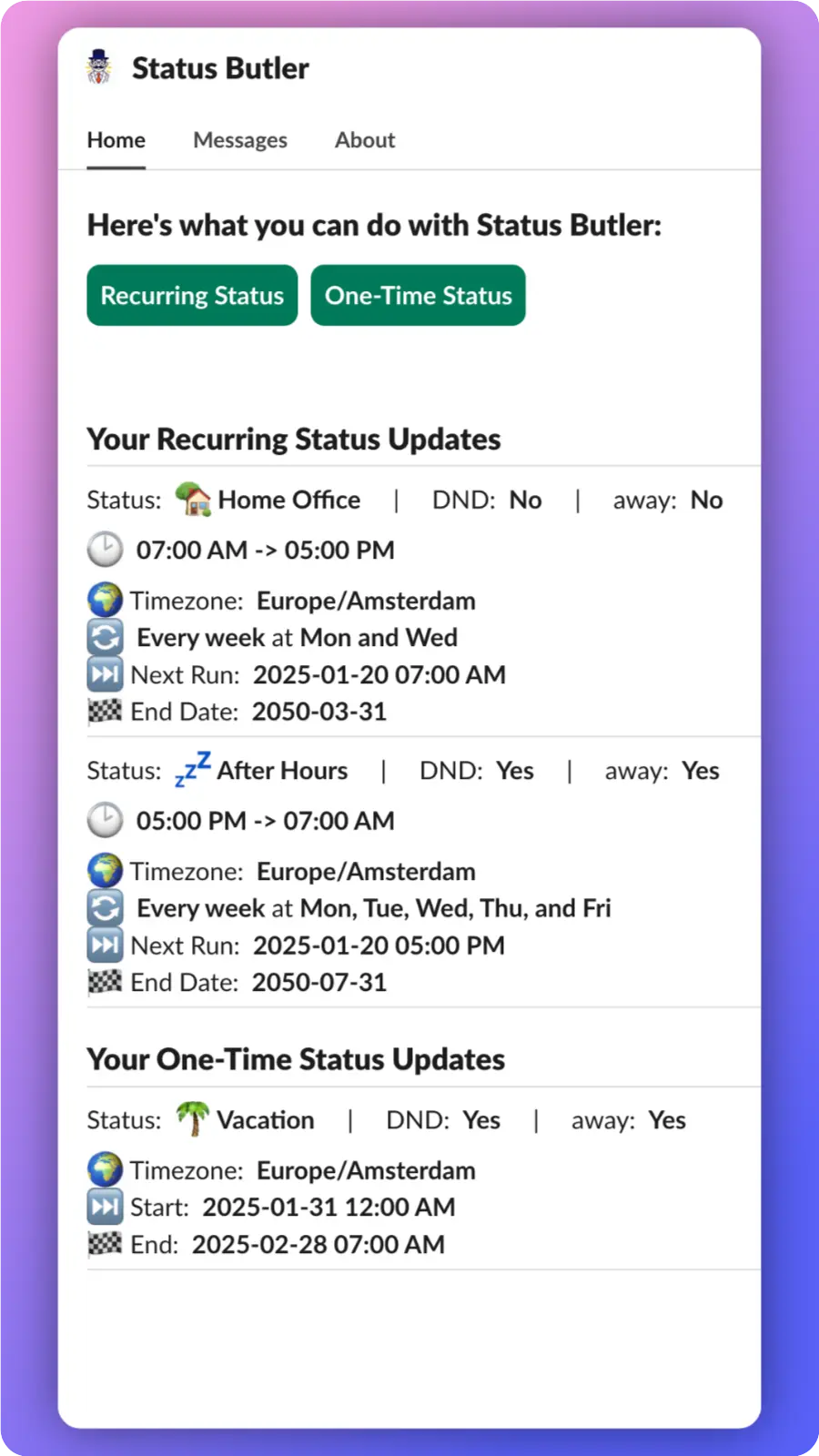
From the Home tab, tap Create Status and configure:
-
Status text — e.g., "In a meeting," "Focus time," "Lunch break"
-
Emoji — pick any emoji, including your workspace's custom emojis
-
Start and end time — Status Butler sets and clears your status automatically
-
Repeat days — choose which days of the week this status should repeat

Step 3: Schedule a Vacation or Out of Office Status in Slack
Going on vacation? Need to set an out of office status for a specific date range? Status Butler makes this easy with one-time status events.
Create a one-time event and set:
-
Status text — e.g., "On vacation" or "Out of office until March 15"
-
Start date and end date — your status activates and clears automatically on the right days
No more forgetting to update your status before you leave, or coming back to find "On vacation" still showing days later.

Step 4: Relax — Your Slack Status Updates Itself
Once you've created your schedules, Status Butler runs in the background. It automatically:
-
Sets your Slack status at the scheduled start time
-
Clears your status when the event ends
-
Repeats weekly for recurring statuses
You can view, edit, or delete any scheduled status from Slack's Home tab at any time.
Common Use Cases for Scheduling Slack Statuses
Here are the most popular ways people use Status Butler to automate their Slack status:
-
Focus time — Block out deep work hours so teammates know not to disturb you
-
Recurring meetings — Automatically show "In a meeting" during your weekly standups
-
Vacation and PTO — Schedule "On vacation" days or weeks in advance
-
Remote/office days — Show "Working from home" or "In the office" on the right days
-
Lunch breaks — Let your team know you're away for lunch every day at noon
-
End of day — Automatically set "Done for the day" when your workday ends
Ready to Automate Your Slack Status?
Install Status Butler for free and start scheduling your Slack statuses in under a minute.
Free to install · Takes 30 seconds · No credit card required