1
Active Users

Automate your Slack status updates with a free status scheduler — set recurring events, vacation statuses, and one-time notifications directly from Slack.
Add to SlackFree to install · Takes 30 seconds
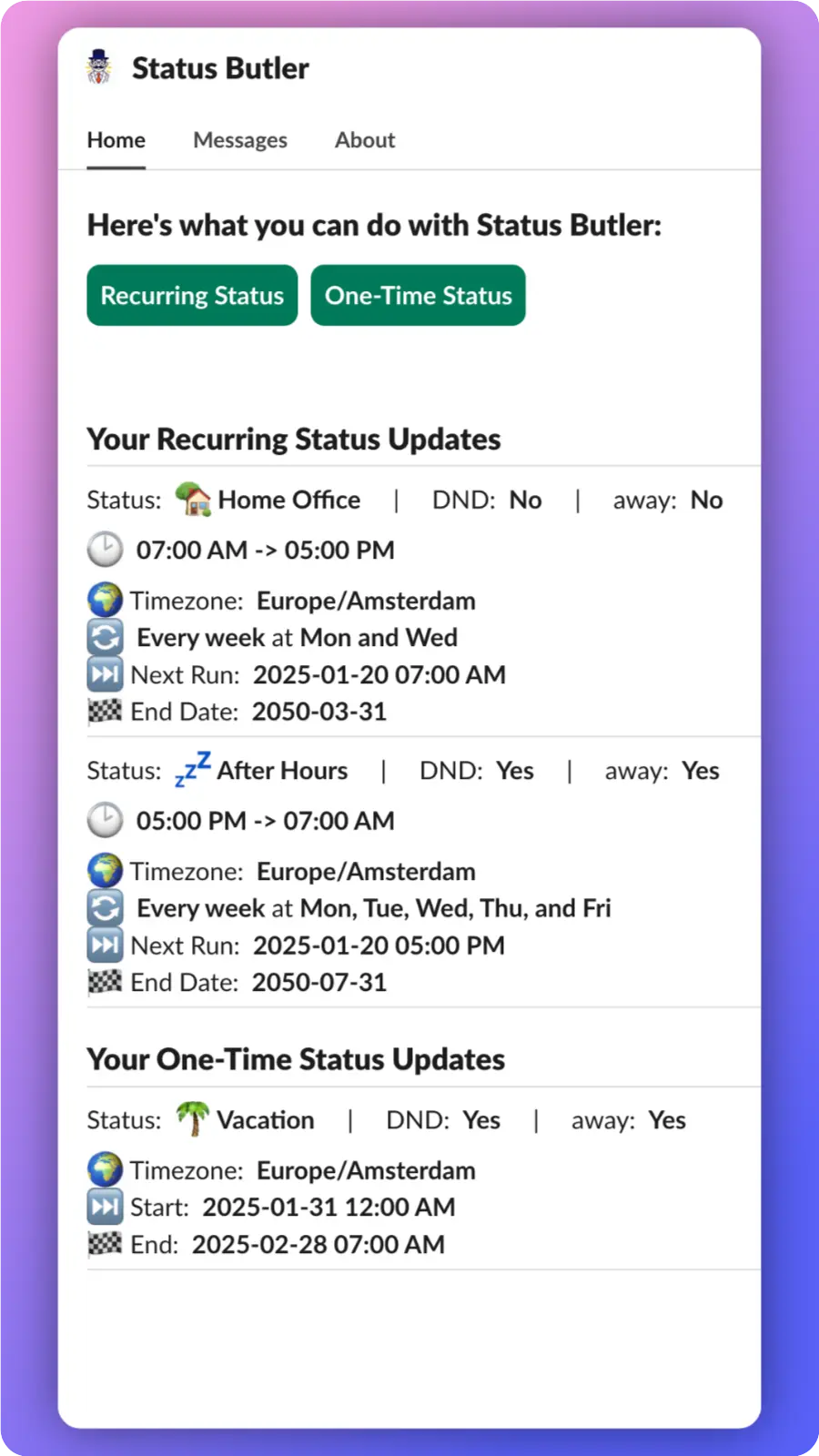





Status Butler is the easiest Slack app for scheduling and automating your status updates. Whether you need to automate end-of-workday notifications, schedule vacation statuses, or set recurring meeting reminders, Status Butler handles it all — so you can focus on what matters.
Click "Add to Slack" and authorize Status Butler for your workspace in seconds.
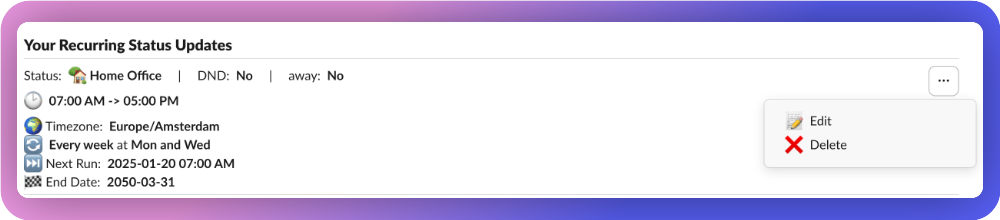
Set up your recurring and one-time status updates directly from Slack's Home tab.
Status Butler automatically updates your Slack status at the right time, every time.
Read our step-by-step guide on how to schedule and automate your Slack status — including vacation, out of office, and recurring statuses.
Read the Full Guide

Active Users
Status Changes
Slack doesn't offer built-in status scheduling, but you can do it with a free app called Status Butler. It lets you schedule status updates, set recurring statuses, and use custom emojis — all managed directly from Slack's Home tab.
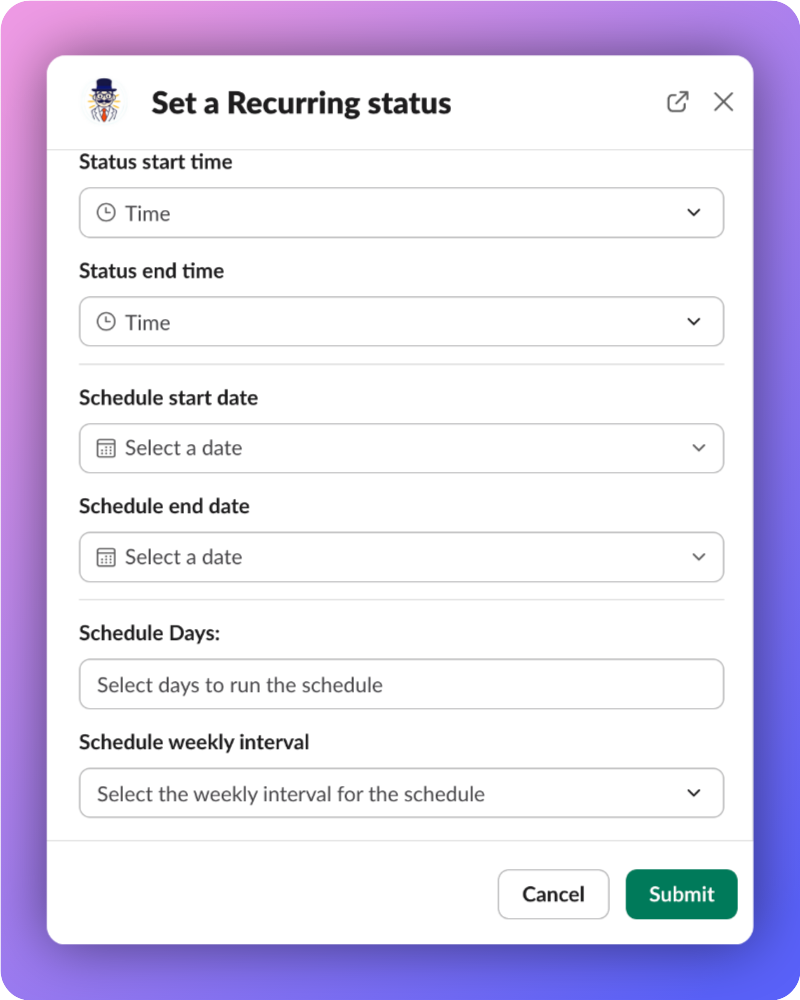
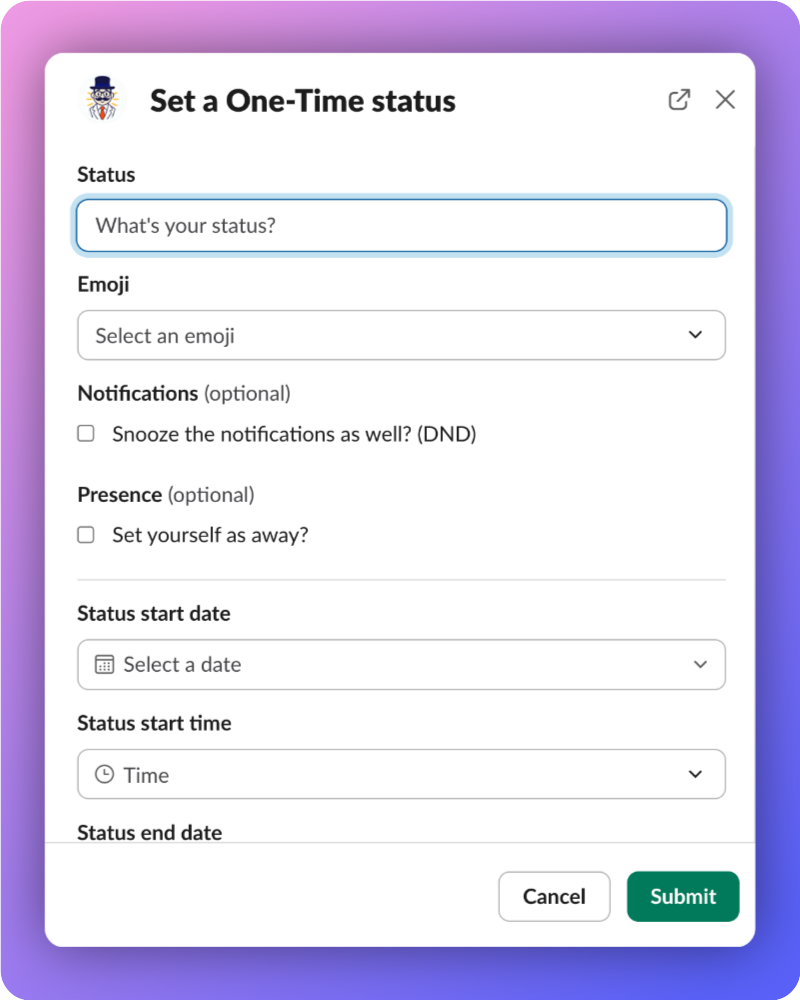
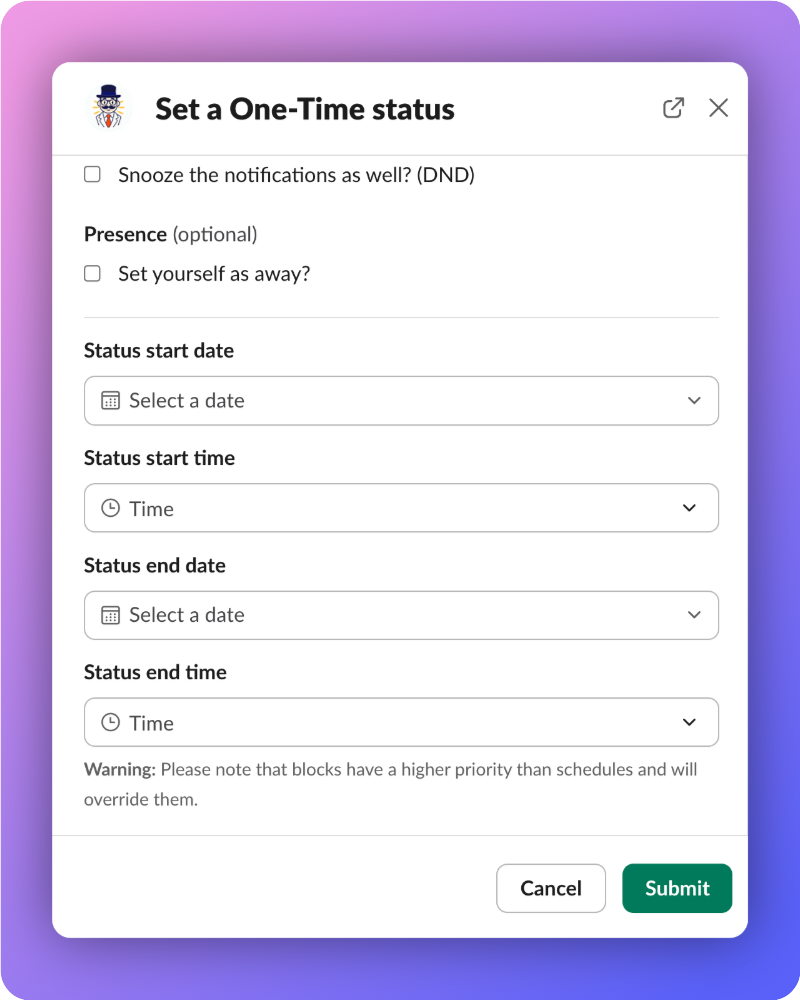
Install a Slack status scheduler like Status Butler, open the app's Home tab in Slack, and create a new scheduled status. Set the status text, emoji, start time, end time, and choose whether it repeats on specific days of the week.
Slack doesn't support recurring statuses natively, but Status Butler adds this feature for free. You can automatically set your status to "In a meeting" every Monday and Wednesday at 10 AM, or "Out of office" every Friday afternoon — set it once and forget it.
The easiest way to automate your Slack status is with Status Butler — a free Slack app. Create a schedule with your desired status text, emoji, and times, and it will automatically update and clear your status without any manual effort.
You can manually set an out of office status in Slack, but it won't activate on a future date or clear itself automatically. With Status Butler, you can schedule your vacation status in advance — just set the dates, status text (e.g., "On vacation"), and emoji. It activates and clears automatically.
Yes — Status Butler is completely free to install and use. You can add it to your Slack workspace in 30 seconds and start scheduling statuses immediately. No credit card required.
Yes! Status Butler supports your organization's custom Slack emojis. You can use any emoji available in your workspace when scheduling status updates, making your statuses personal and recognizable.
Status Butler is purpose-built for Slack status scheduling. Unlike generic automation tools, it works entirely within Slack's Home tab — no external dashboards or complicated setup. It supports recurring schedules, one-time events, custom emojis, and flexible weekly intervals all in one simple interface.
Made with by FunQtion in Düsseldorf
Copyright © 2026 FunQtion - All rights reserved